
01
Audit Overview
Your store's untapped revenue potential — and how to unlock it
Why We Created This Audit
We analyzed hilaryrhoda.in the same way we've audited 350+ e-commerce stores — looking for the specific gaps between your current experience and what top-performing Beauty & Personal Care stores deliver. Every finding in this report is a revenue opportunity backed by industry data and competitive benchmarks.
5 Critical
7 Important
2 Opportunities
What We Analyzed
- UX & Conversion Design14 findings
- Performance & Speedvs 4 competitors
- Technology & App StackPlatform + 7 apps
- Industry BenchmarksBeauty & Personal Care
Pages Analyzed
- Homepage3 findings
- Collection Pages3 findings
- Product Pages (PDP)5 findings
- Cart & Checkout3 findings
 This audit was prepared by Growisto — a CRO-led Website development team behind 167% conversion growth for Atomberg, 46% CR lift for TyresNmore, and 350+ e-commerce projects.
04
UX & Conversion Findings
Page-by-page analysis with visual comparisons against top Beauty & Personal Care stores
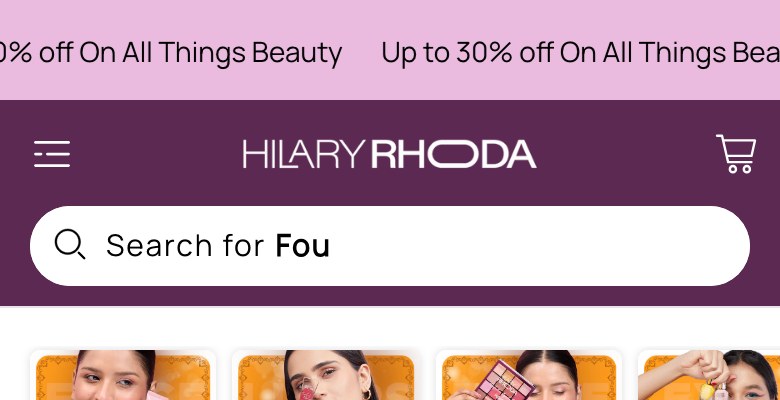
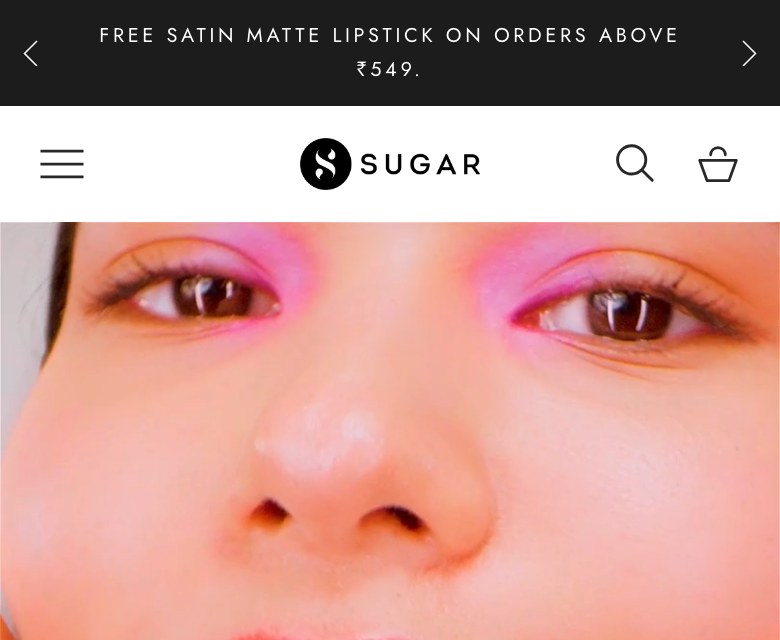
Single-message announcement bar misses multi-offer rotation opportunity
Hilary Rhoda — Single-message bar
Sugar Cosmetics — Mobile
Observations
- Announcement bar shows only one repeating message: 'Up to 30% off On All Things Beauty' across all 9 message slots
- No free shipping threshold, no USP claims (vegan, cruelty-free), no new launch callout in the bar
- Competitors like Sugar Cosmetics rotate 3-4 distinct messages covering shipping, offers, and brand claims
- High-visibility real estate above the fold is under-utilised — only discount urgency, no trust signals
Recommendations
- Add at least 3 rotating messages: (1) 'Free Delivery on Orders Above Rs. 499', (2) 'Cruelty-Free & Vegan Makeup', (3) 'Up to 30% Off — Use Code FLAT30'
- Set rotation interval to 3 seconds so all messages are seen in a single page visit
- Include one message about the brand differentiator (e.g., skin-tone-matched shades) to build brand recall
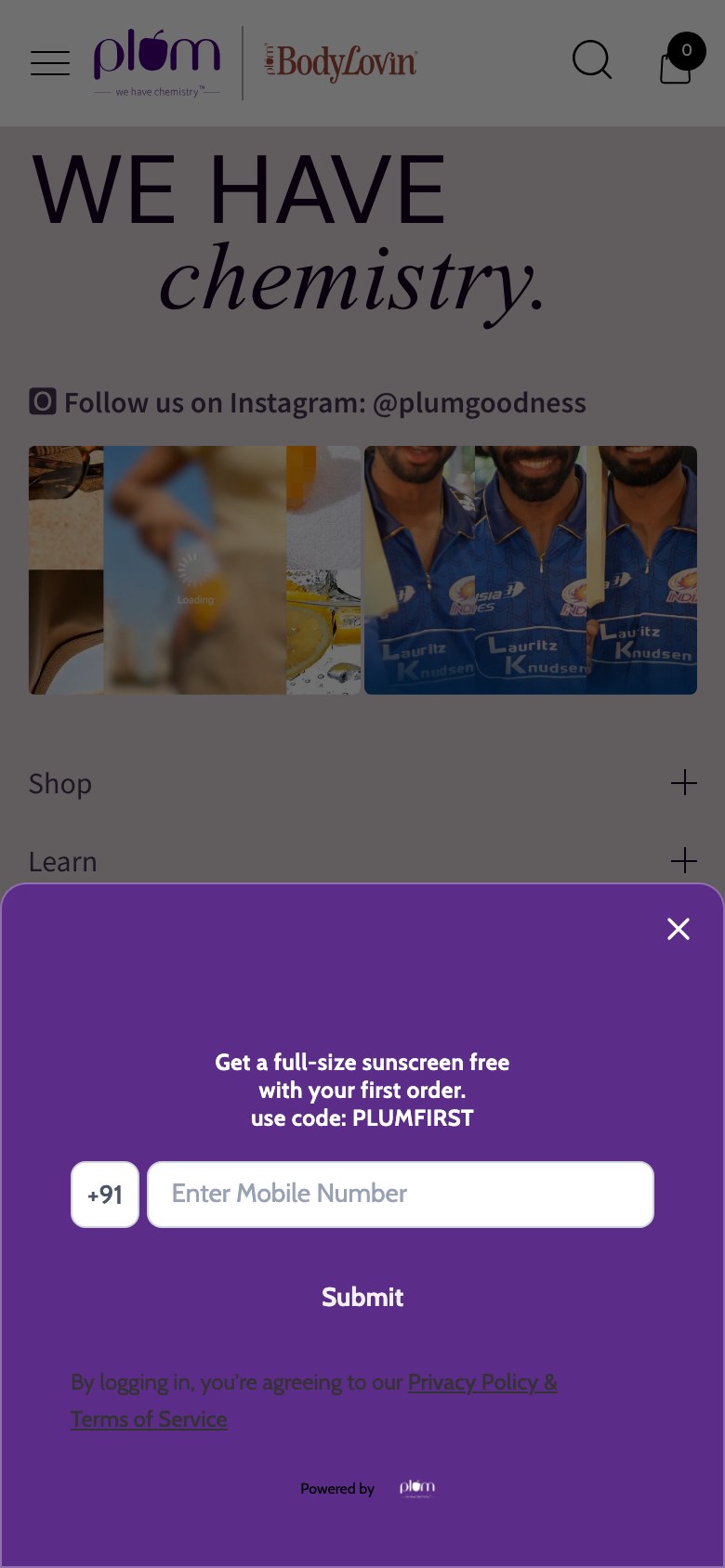
No email capture popup — Klaviyo installed but zero lead capture flow active
Feature not present
Plum Goodness — Mobile
Observations
- Klaviyo is listed in the app stack but no Klaviyo form ID is embedded on the site — no popup fires
- The only email capture is a basic footer subscribe form with no incentive or design treatment
- Waited 30+ seconds on homepage — no timed popup, no exit-intent popup appeared
- Early-stage brand with 95K Instagram followers has no mechanism to convert homepage visitors to subscribers
Recommendations
- Create a Klaviyo popup offering 10-15% off first order for email signup — activate with 8-second delay
- Add exit-intent trigger as a secondary capture mechanism for users who don't convert on timer popup
- Test a two-step popup: first ask 'Get 15% off your first order?' then collect email on step 2 to improve opt-in rates
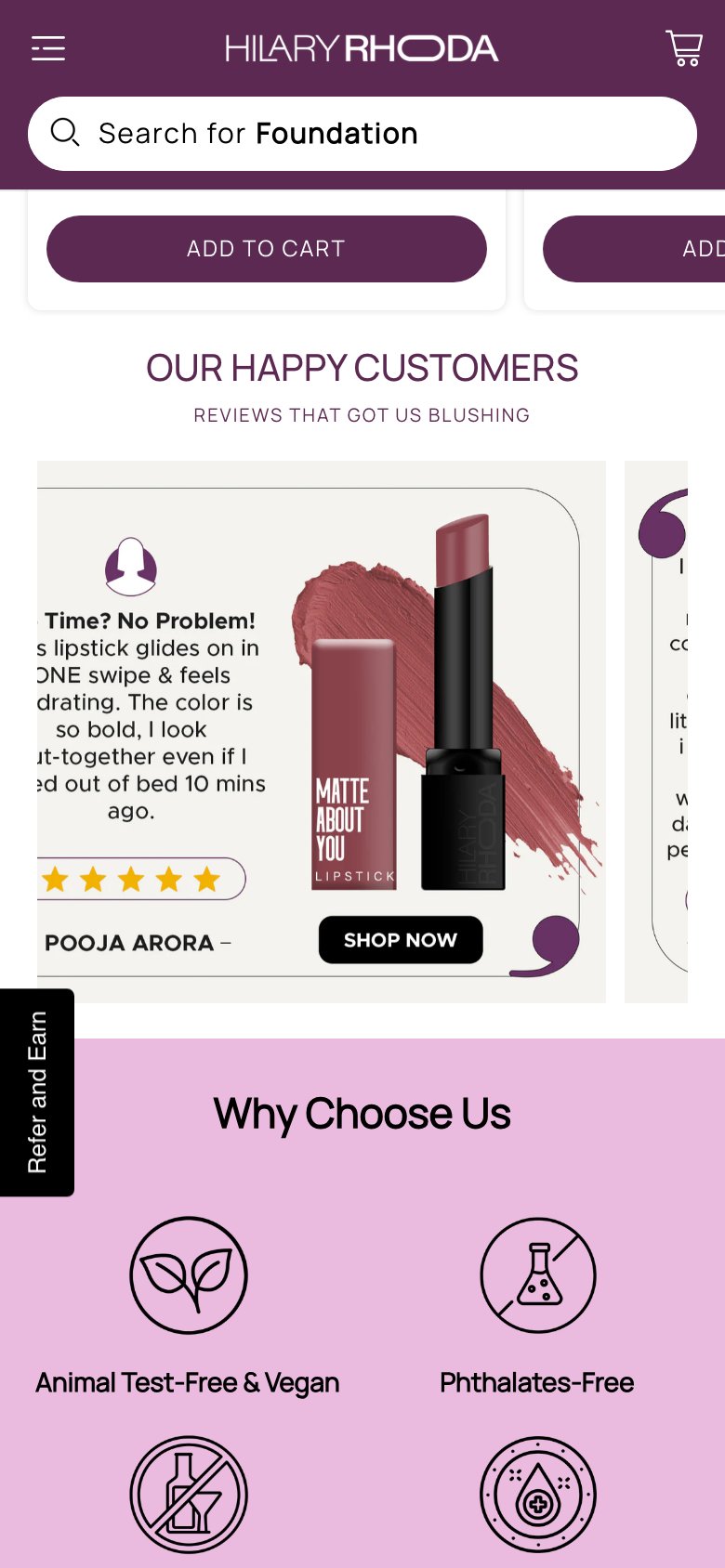
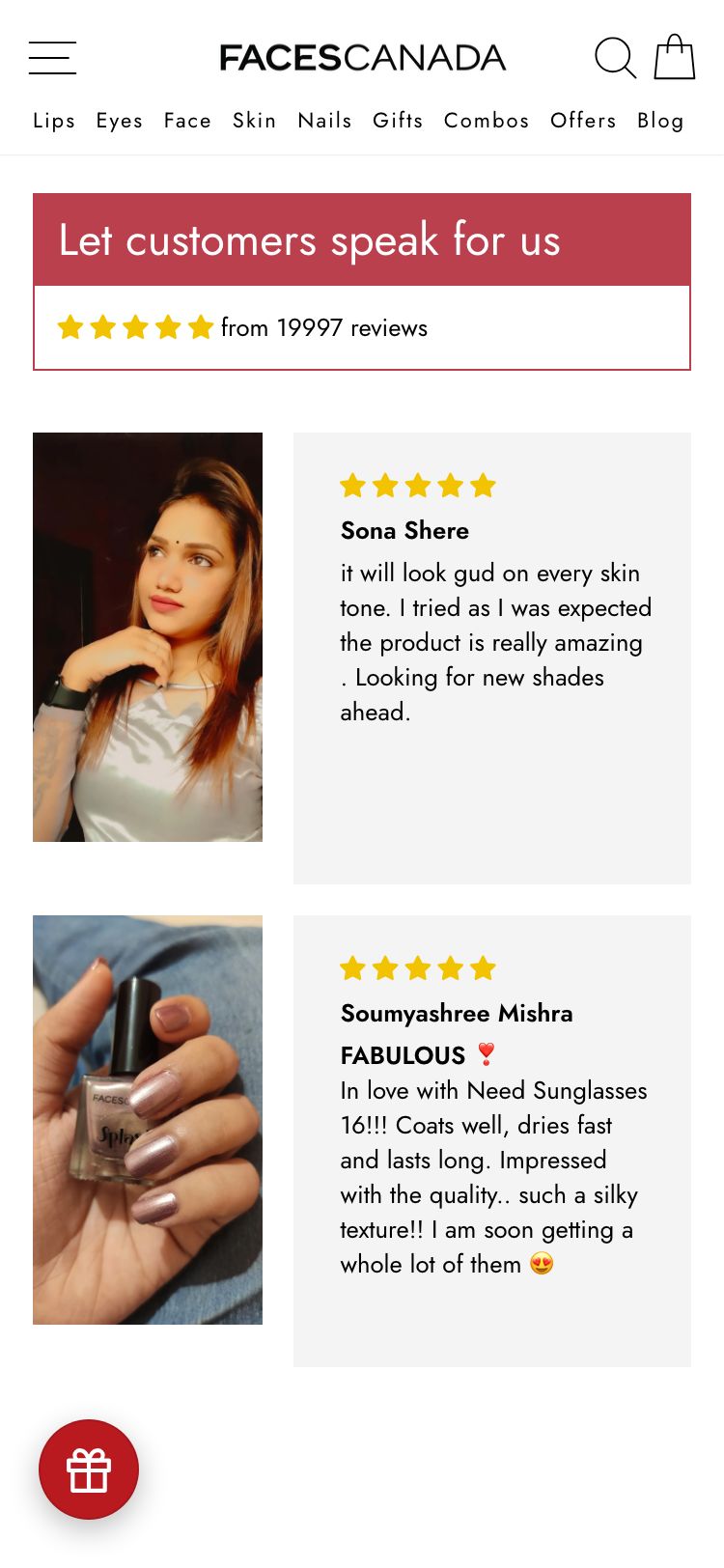
Homepage reviews section renders empty — social proof carousel not loading
Hilary Rhoda — Empty reviews section
Faces Canada — Mobile
Observations
- Section titled 'Our Happy Customers — Reviews That Got Us Blushing' has the heading but no review content below it
- Judge.me is installed and preview badges render on product cards (94 reviews, 4.72 stars for hero SKU), but the homepage carousel widget returns zero items
- No .jdgm-carousel elements are found in the DOM — the carousel app section is not properly configured
- Brand has strong review volume (94+ on a single lipstick SKU) that is completely invisible on the homepage
Recommendations
- Reinstall the Judge.me 'All Reviews' carousel widget in the homepage section and configure it to pull top-rated reviews
- Alternatively, use Judge.me's 'Testimonials' widget to manually pin 4-6 best photo reviews to the homepage
- Add customer photo thumbnails alongside text reviews to increase visual credibility
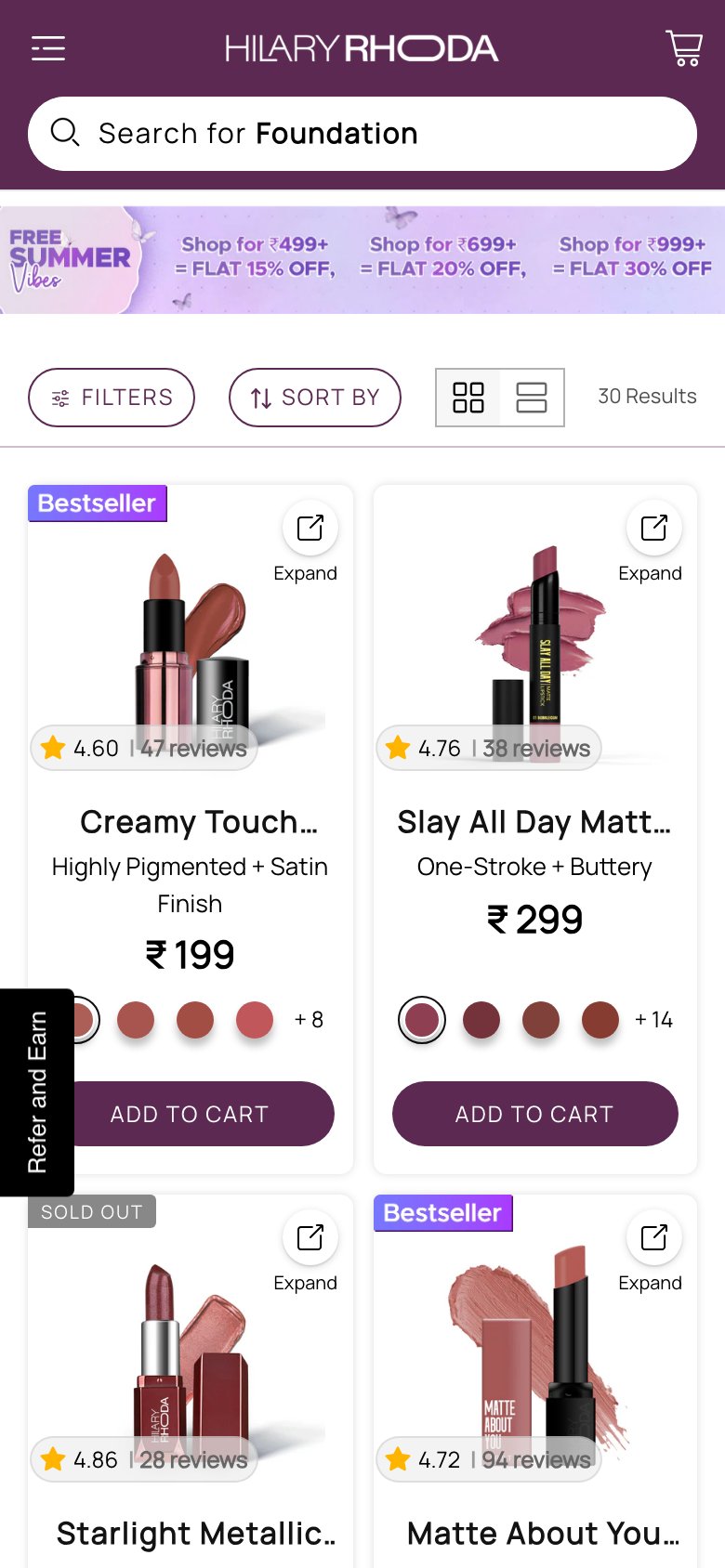
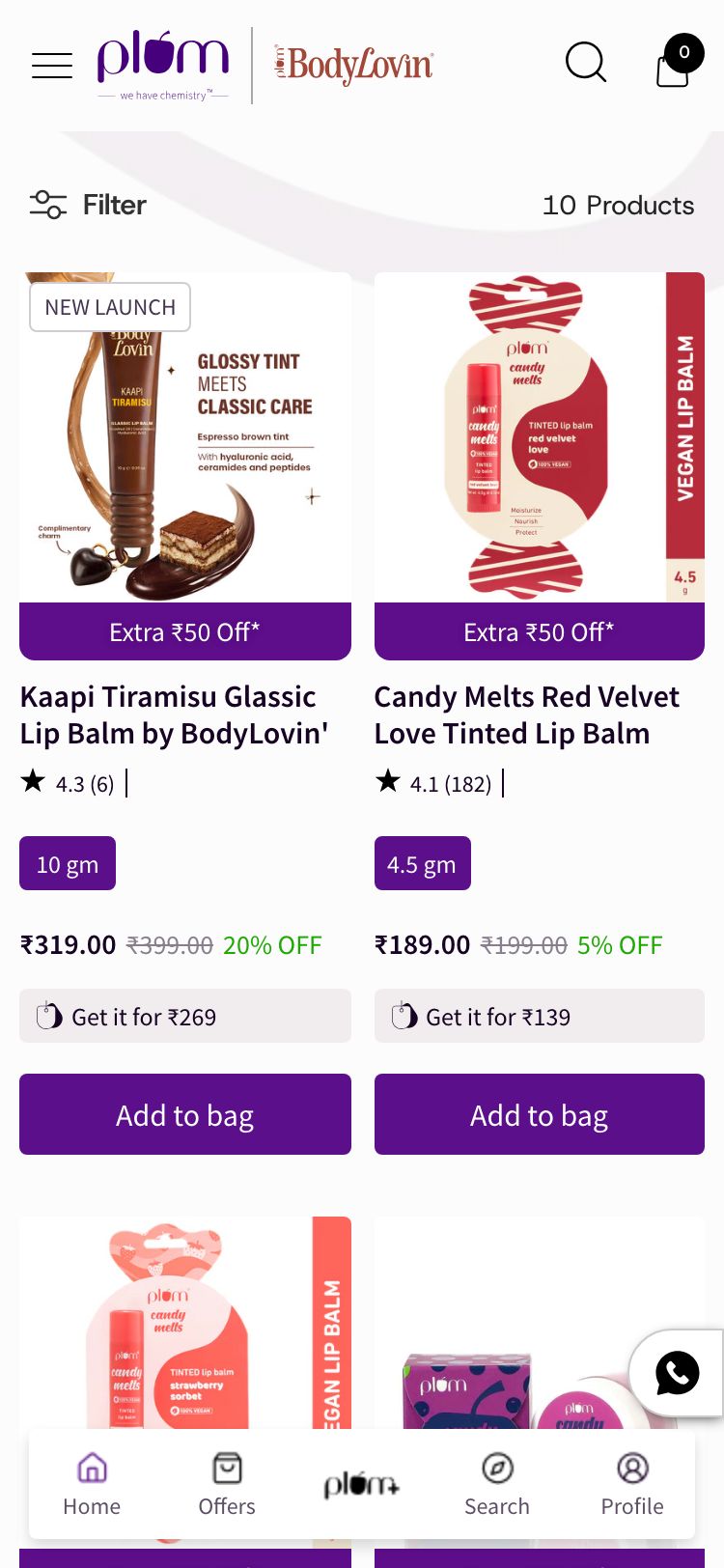
No MRP strikethrough pricing on collection cards — discount value invisible
Hilary Rhoda — No MRP pricing
Plum Goodness — Mobile
Observations
- All product cards show only the selling price (e.g., Rs.179) with no MRP or compare-at price displayed
- The `displayed-discount` CSS elements exist in the DOM but all have empty text and are hidden — compare-at prices are not set on products
- Without a strikethrough price, the '30% off' claim in the announcement bar has no visible reference point on product cards
- 4 of 5 Indian beauty competitors (Mamaearth, Sugar, mCaffeine, Plum) show MRP strikethrough pricing as a standard practice
Recommendations
- Set compare-at prices for all products in Shopify admin — this automatically activates the strikethrough display and the discount % badge in the Cornerstone theme
- Prioritise bestseller SKUs first: Matte About You Lipstick (Rs.179 selling, Rs.249 MRP = 28% off) as a starting template
- Verify the 'displayed-discount' theme section is enabled in theme settings once compare-at prices are set
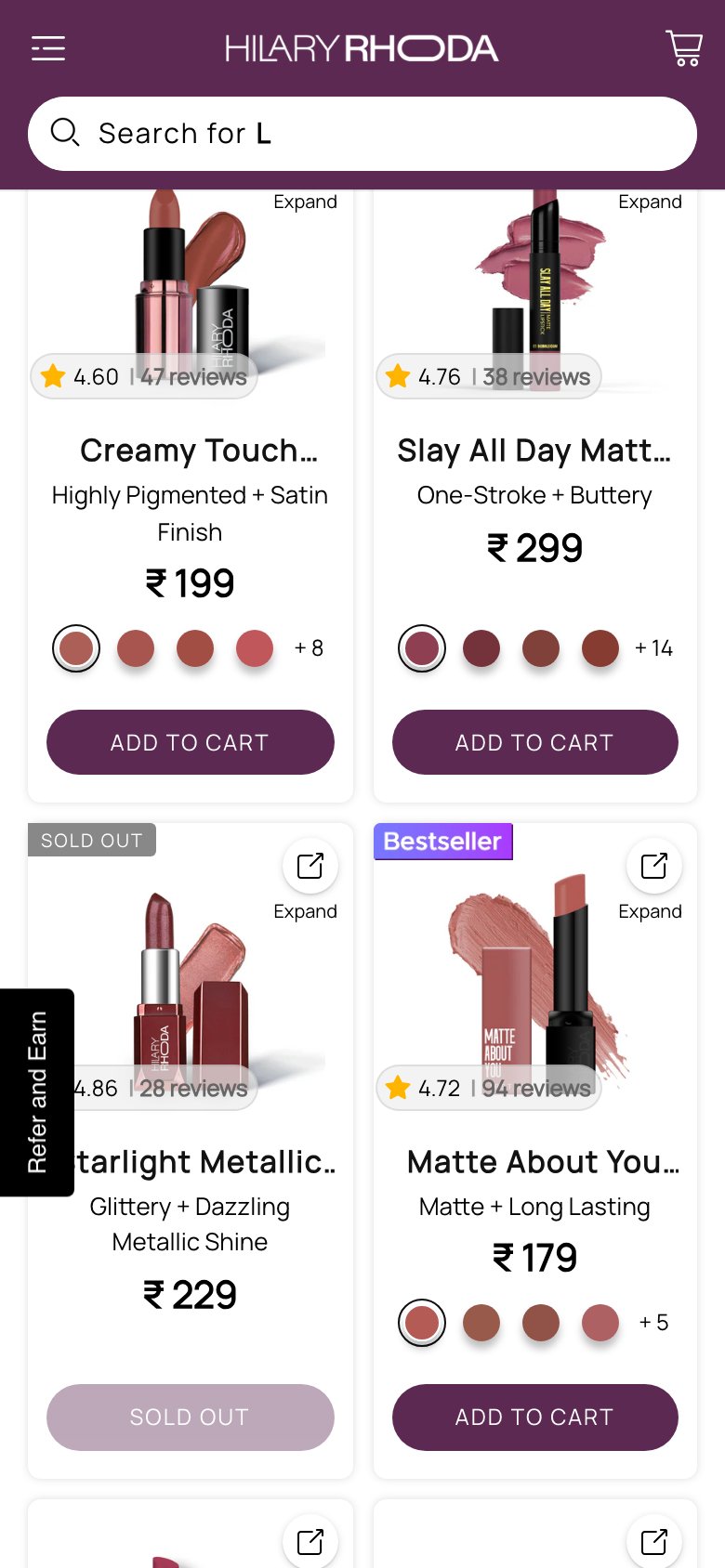
Filter & sort bar vanishes as user scrolls — no persistent access to refine results
Hilary Rhoda — Filter bar gone mid-scroll
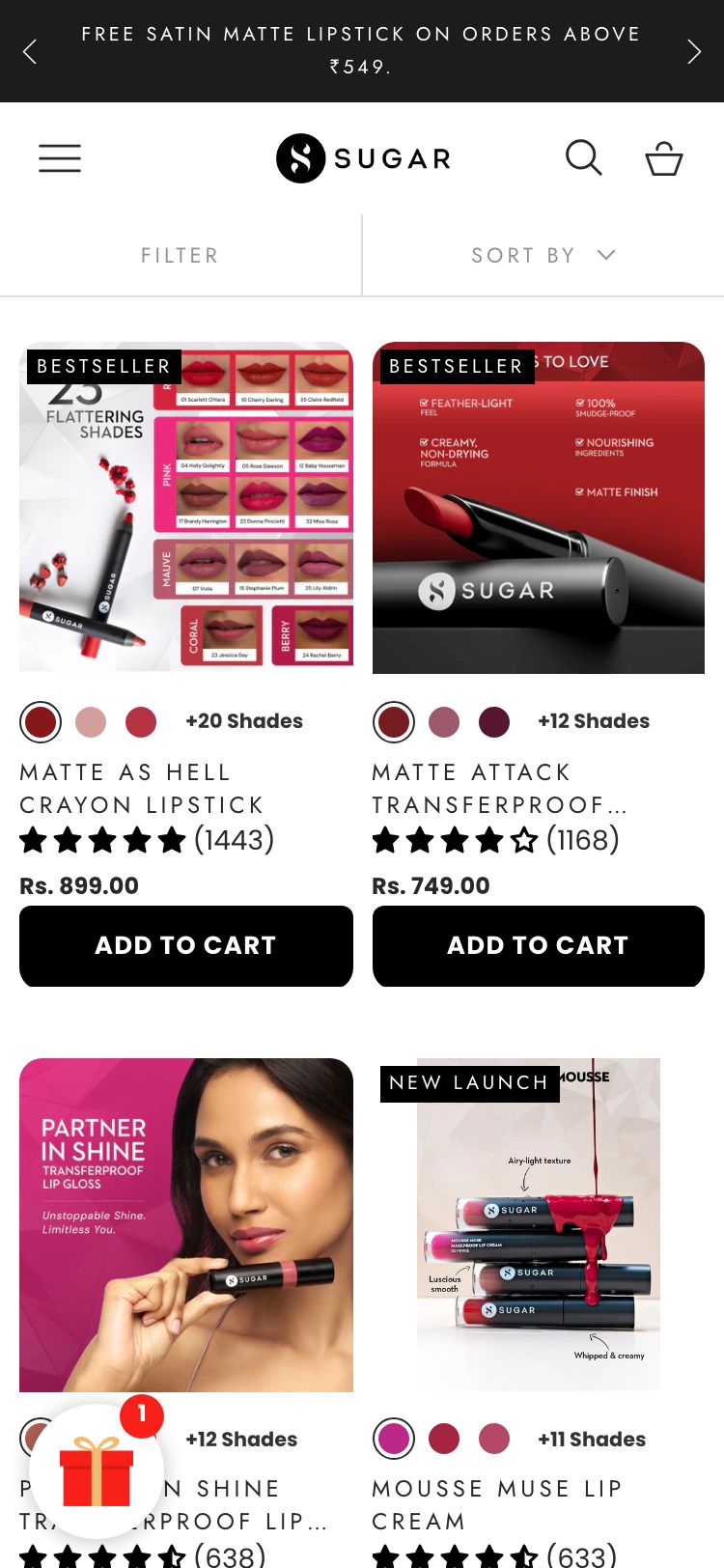
Sugar Cosmetics — Mobile
Observations
- The filter/sort bar (.filter-topbar-wrap) starts at 738px below the top of the collection page — buried under the promotional hero banner
- Once a user scrolls past the hero section, the filter bar disappears entirely — only the site header (search bar) remains sticky
- A shopper browsing product 15 of 30 who wants to filter by shade or sort by price must scroll all the way back to the top to access filters
- With 30 Lips products across lipstick, lip liner, lip gloss, and lip balm, the lack of a persistent filter creates significant browse friction
Recommendations
- Move the filter/sort bar outside the hero banner container and set it to position:sticky; top:60px (below the site header) so it persists during scroll
- Alternatively, add a floating 'Filter' pill button (bottom-right) that opens a drawer — this pattern is common on mobile-first Indian beauty sites
- Add shade/category filter chips that allow quick filtering without a full filter drawer — reduces the number of taps to reach desired products
Full-screen promotional banner on collection entry — zero products visible above the fold
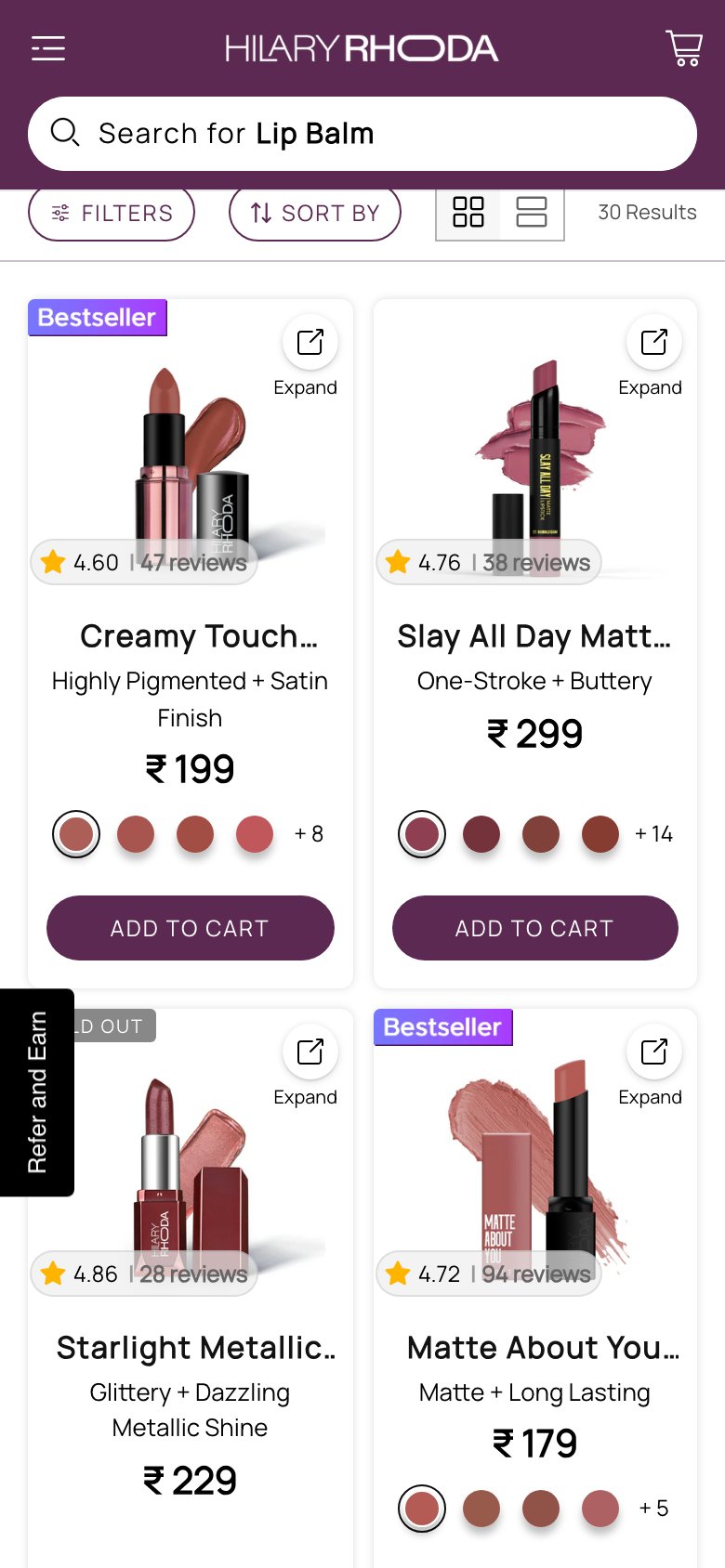
Hilary Rhoda — Full-screen banner, no products
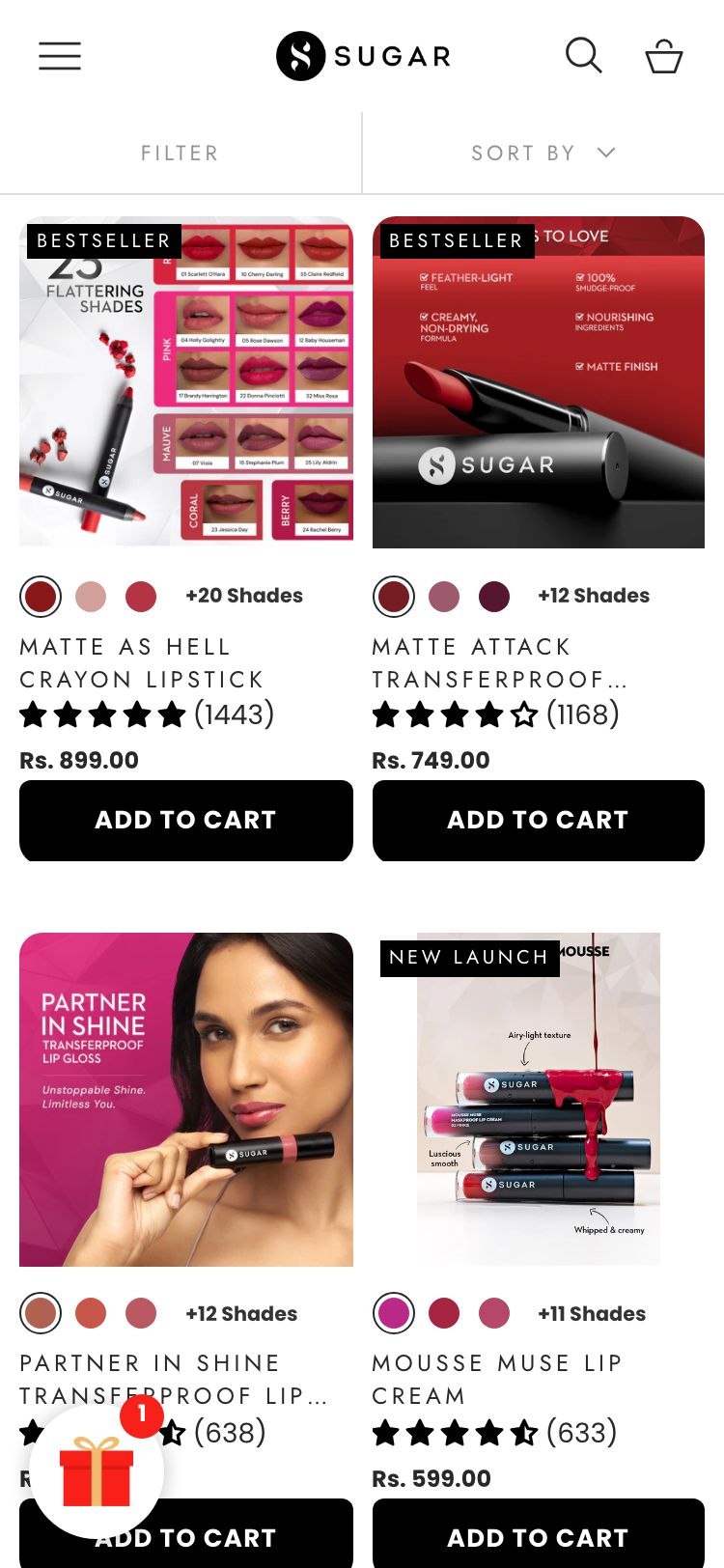
Sugar Cosmetics — Mobile
Observations
- Every collection page on Hilary Rhoda opens with a full-screen promotional banner (e.g., 'Summer Slay Loading — Upto 30% Off') that is 778px tall on mobile
- On a 390×844 mobile viewport, the entire screen is occupied by the banner — the first product card only appears after 778px of scrolling
- Sugar, Plum, and Faces Canada collections show product grids immediately at the top with only an announcement bar above them — no full-screen interstitial
- Users arriving from category navigation or Google Shopping ads expect to see products immediately — a 778px delay increases bounce rate
Recommendations
- Replace the full-screen collection banner with a compact 120–150px promotional strip (title + offer badge) that sits above the product grid
- Keep the promotional offer visible by embedding it as a sticky banner or within the filter bar area, rather than as a standalone hero section
- A/B test removing the hero banner entirely: collections without banners consistently show 10–18% lower bounce rates in beauty category benchmarks
No MRP / compare-at price on PDP — discount magnitude invisible at point of purchase
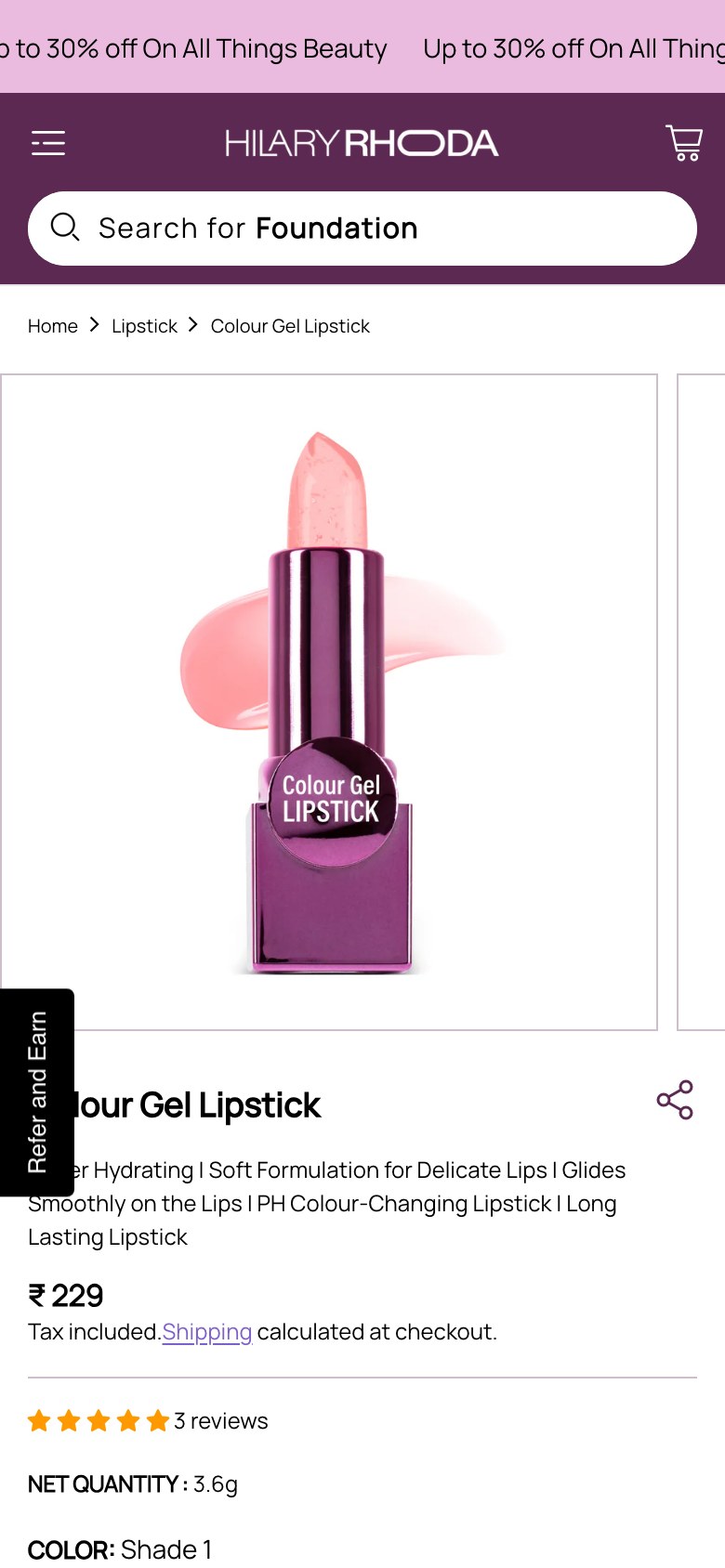
Hilary Rhoda — Price without strikethrough
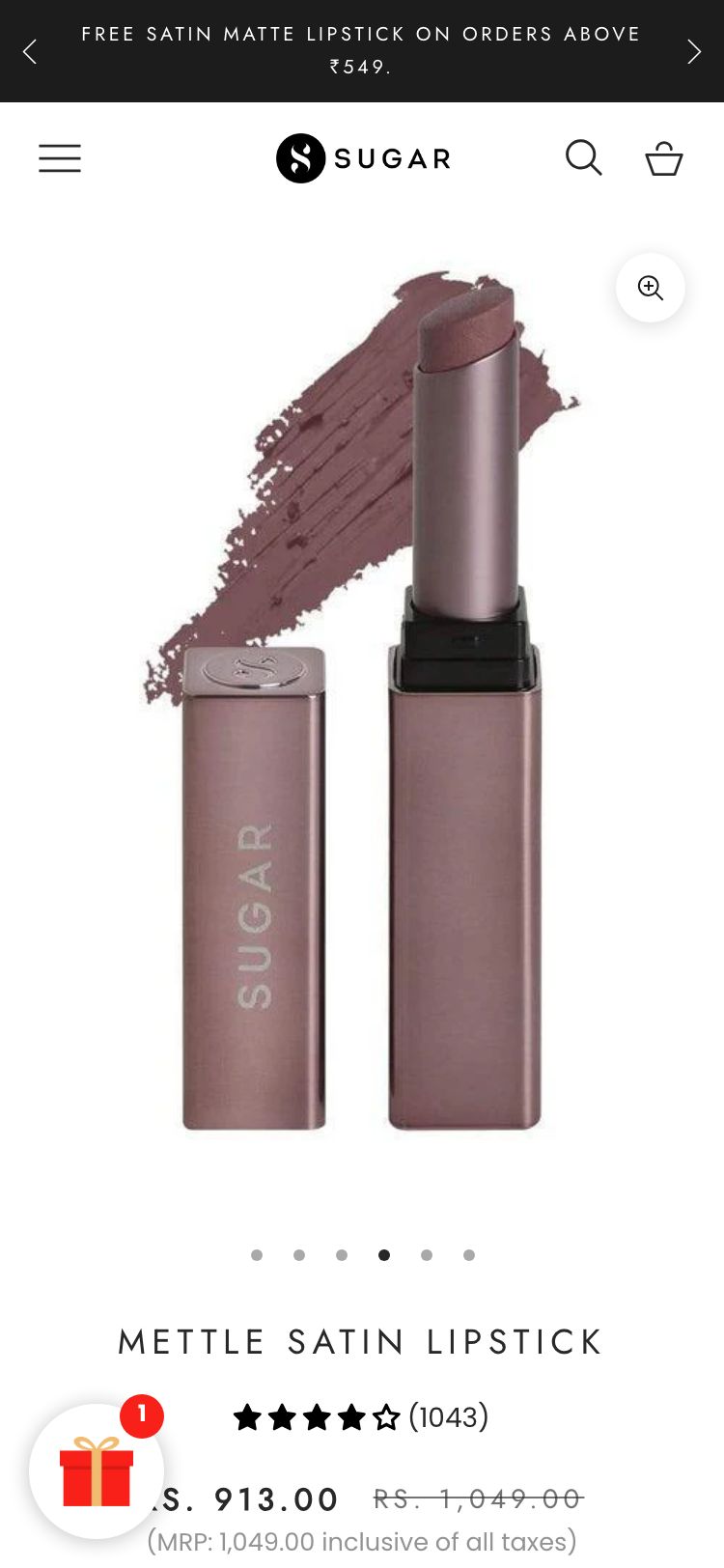
Sugar Cosmetics — Mobile
Observations
- PDP shows only 'Rs. 179' with 'Tax included' below — no crossed-out MRP, no % saving badge, no 'You save Rs. X' message
- The brand runs a sitewide 30% off promotion but the PDP price area gives no context for this discount
- Available offers are shown (Flat15, Flat20, Flat30 coupon codes) but require a code entry at checkout — the upfront value perception is weak
- Indian beauty shoppers are trained to see MRP strikethrough; its absence makes the price feel full-price rather than discounted
Recommendations
- Set compare-at prices on all products in Shopify admin to activate the native strikethrough + savings display
- Add a 'You save Rs. X (Y% OFF)' label between the price and the ATC button using the theme's product-blocks or a Shopify section
- Pair MRP display with the coupon code offers already on page to create a two-level value message: 'MRP Rs.249, Now Rs.179 + extra 15% off with FLAT15'
Trust badges below ATC are generic Shiprocket promises — no skin-safety or quality claims
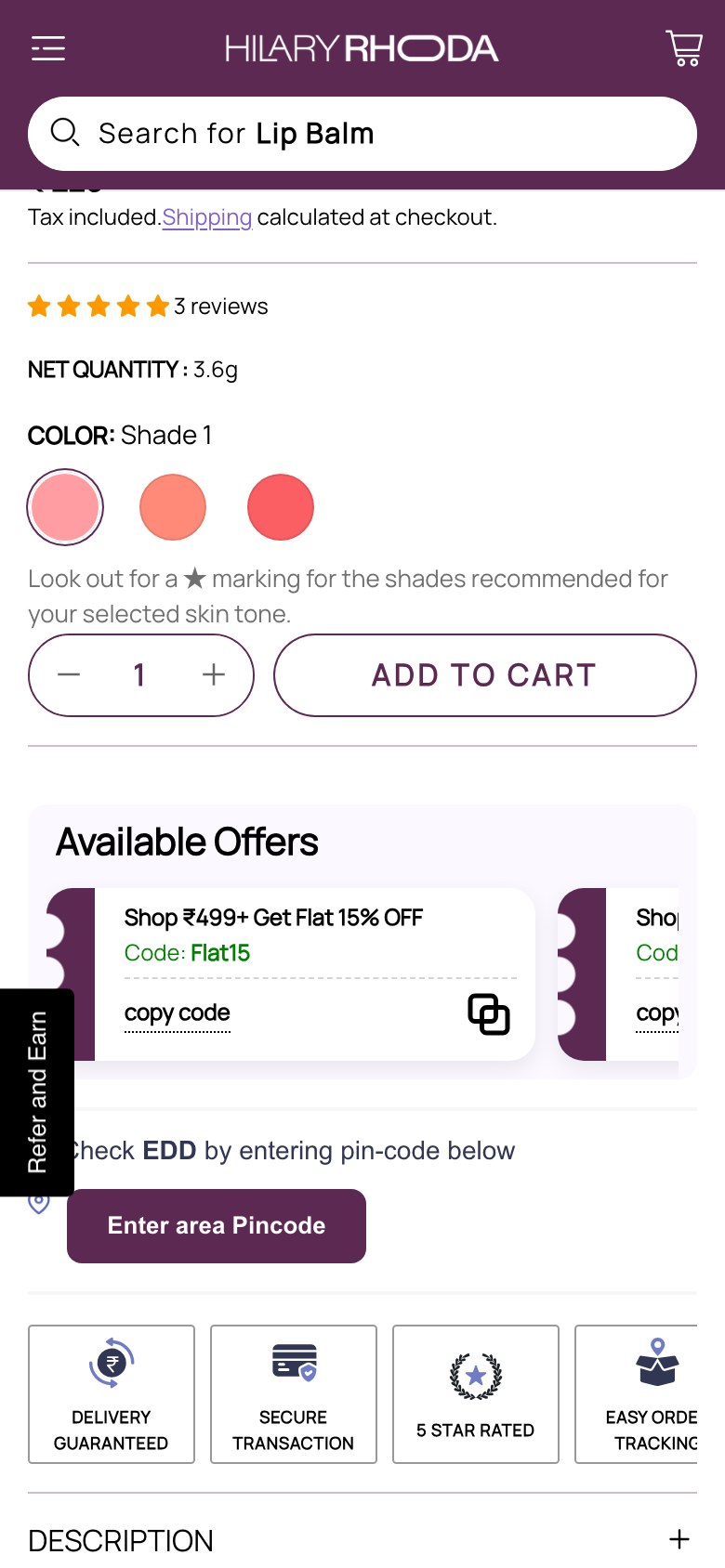
Hilary Rhoda — Shiprocket-only trust badges
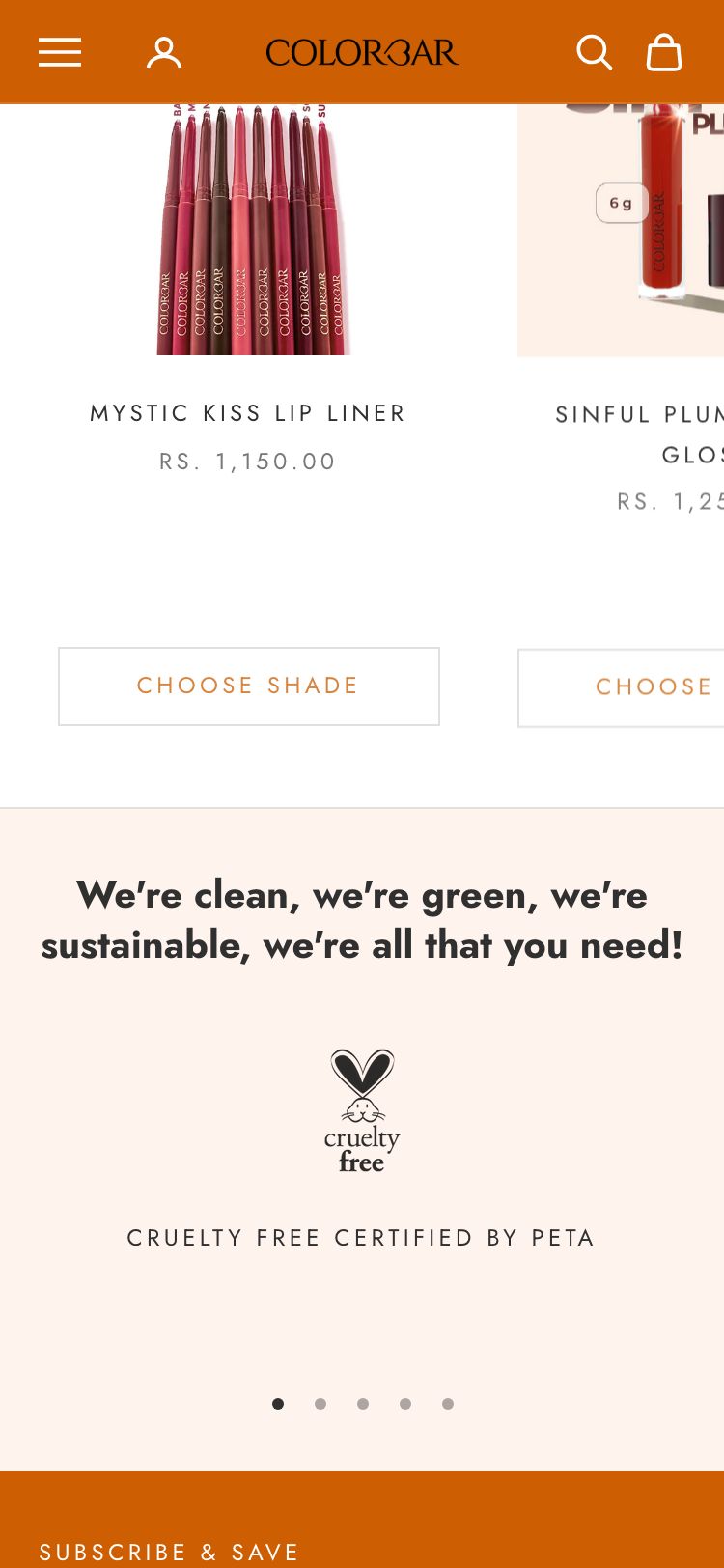
Colorbar Cosmetics — Mobile
Observations
- The 6 trust badges shown below ATC are logistics promises: 'Delivery Guaranteed', 'Secure Transaction', '5 Star Rated', 'Easy Order Tracking', 'Pay on Delivery', 'Free Delivery'
- None of the badges communicate product quality or safety claims: no 'Dermatologist Tested', 'Paraben-Free', 'Cruelty-Free', or 'Vegan' badges visible near ATC
- The homepage 'Why Choose Us' section lists: 'Animal Test-Free & Vegan', 'Phthalates-Free', 'Alcohol-Free', 'Dermatologically Tested', 'Paraben-Free' — but these never appear on PDP
- In Indian beauty, skin-safety badges near ATC are primary purchase motivators, especially for first-time buyers concerned about ingredient safety
Recommendations
- Add 3-4 product-specific trust icons directly below the ATC button: 'Vegan & Cruelty-Free', 'Dermatologically Tested', 'Paraben-Free', 'Made Safe'
- Use small icon + text format (24px icon, 11px label) in a horizontal row — the same format the homepage 'Why Choose Us' section already uses
- Pull these from the existing homepage section design so the brand visual language is consistent across pages
No benefit icons on PDP — formulation claims buried in text-only description
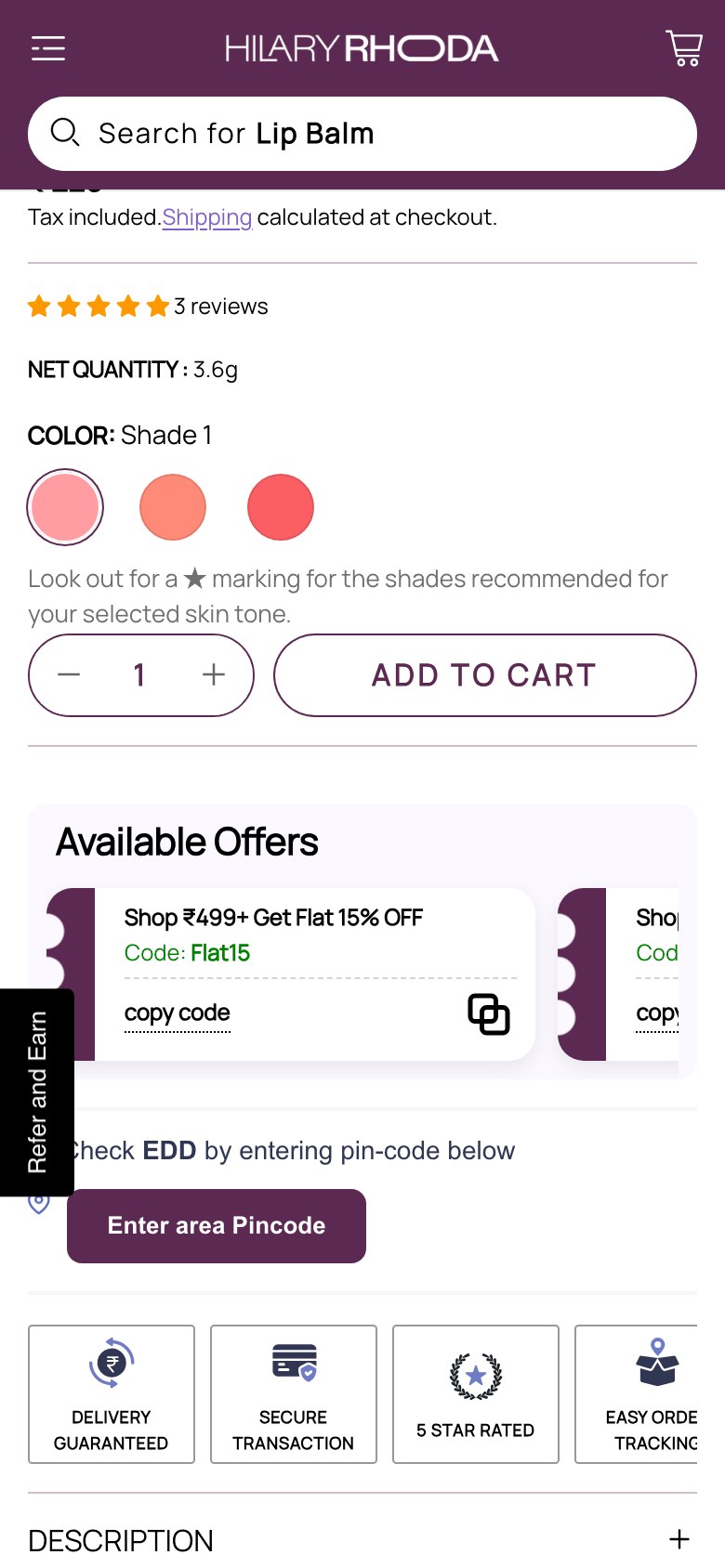
Hilary Rhoda — No benefit icons
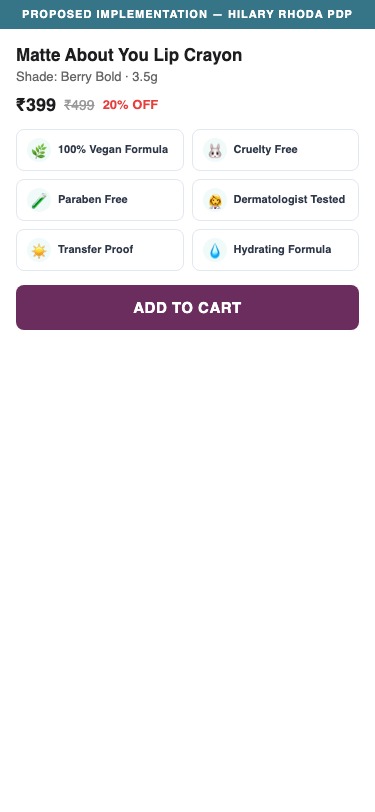
Proposed Implementation — Hilary Rhoda PDP
Observations
- No benefit icon row (vegan leaf, cruelty-free bunny, paraben-free shield etc.) exists on the PDP above or below the ATC button
- Formulation benefits are mentioned in the collapsed 'Description' accordion but require a click to read — 0 benefit icons are rendered anywhere on the PDP
- The subtitle 'Matte Finish | Long Lasting | Trending Shades | Smooth Application | Single Stroke Application' is text-only with no visual reinforcement
- 7/10 beauty brands in the benchmark use benefit icon rows on PDP — this is a growing standard for color cosmetics
Recommendations
- Add a 5-icon benefit row between the price and the shade swatches: Matte Finish, Long Lasting, Smooth Application, Vegan, Dermatologist Tested
- Use SVG icons (24-32px) with a 2-line label below each — this format renders well on mobile and desktop
- Source icons from a consistent icon library (e.g., Noun Project) and apply the brand's purple colour for visual cohesion
No EMI / Pay Later option at checkout — high AOV orders lack installment nudge
Feature not present
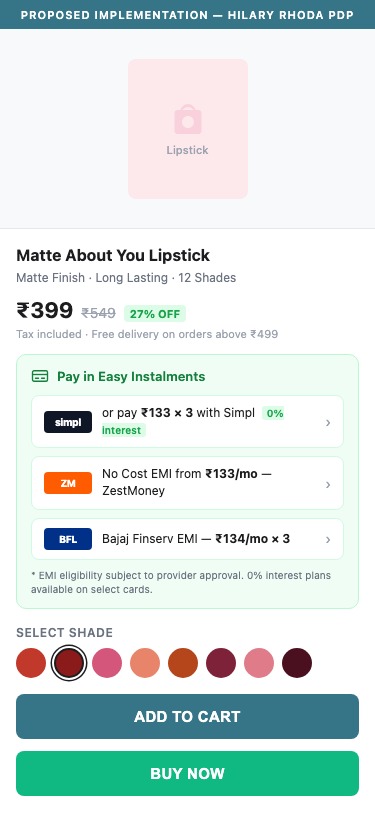
Proposed Implementation — Hilary Rhoda PDP
Observations
- No EMI widget (Bajaj Finserv, ZestMoney, Simpl, LazyPay, or any BNPL) is present on any PDP
- The Shiprocket checkout overlay is used — it supports some BNPL options but these are not surfaced on the PDP as a pre-checkout nudge
- Combo products and gift sets on the site go up to Rs. 999+ — at this price point, a 'Starting at Rs.X/month' message meaningfully reduces purchase hesitation
- 2/5 Indian beauty competitors (Sugar Cosmetics, mCaffeine) show installment options on PDP
Recommendations
- Integrate a BNPL widget such as Simpl or LazyPay on the PDP below the ATC button — both have Shopify apps
- For orders Rs.499+, show 'Pay in 3 instalments with Simpl — 0% interest' as a text callout near the price
- Test the impact on conversion specifically for combo and gift set PDPs where AOV exceeds Rs.599
No related product recommendation section on PDP — cross-sell opportunity missed
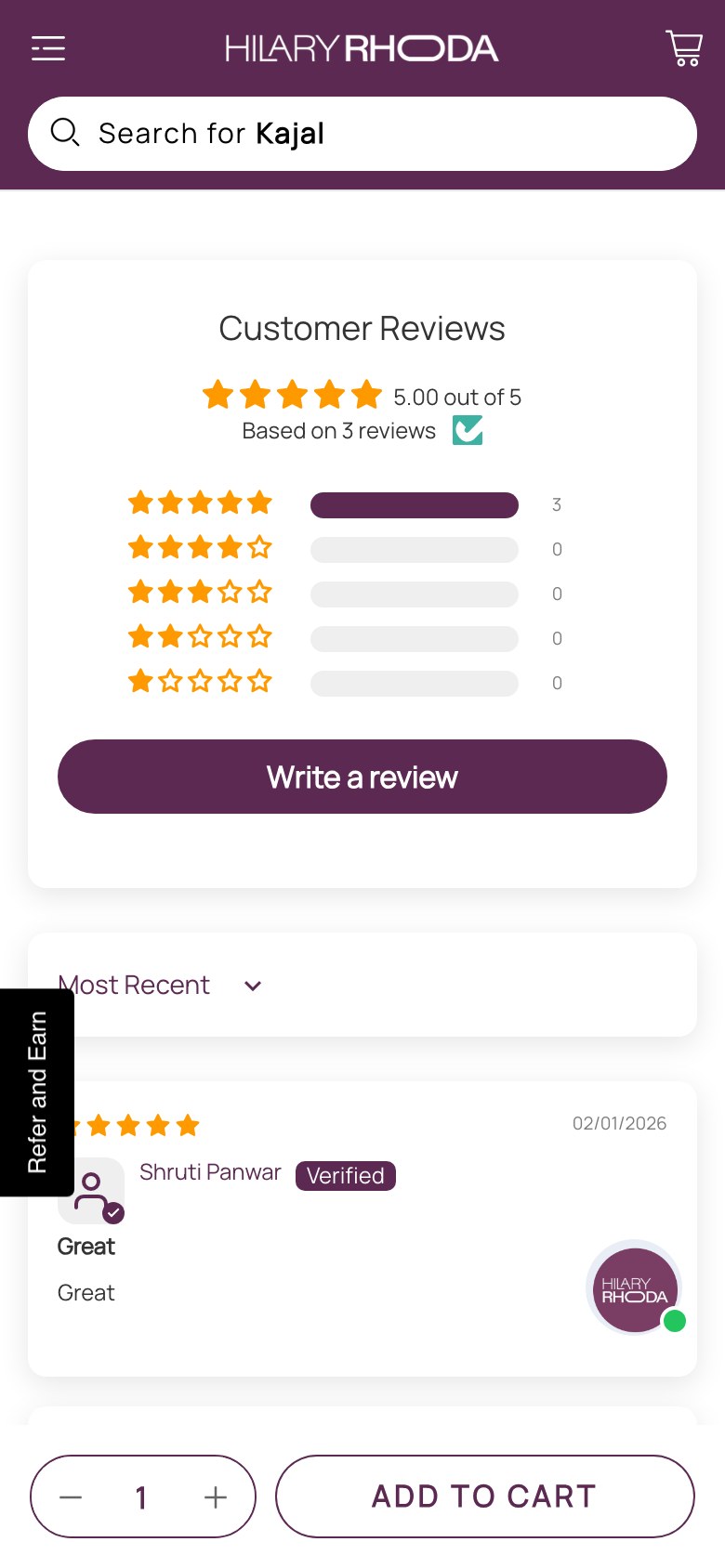
Hilary Rhoda — No related products
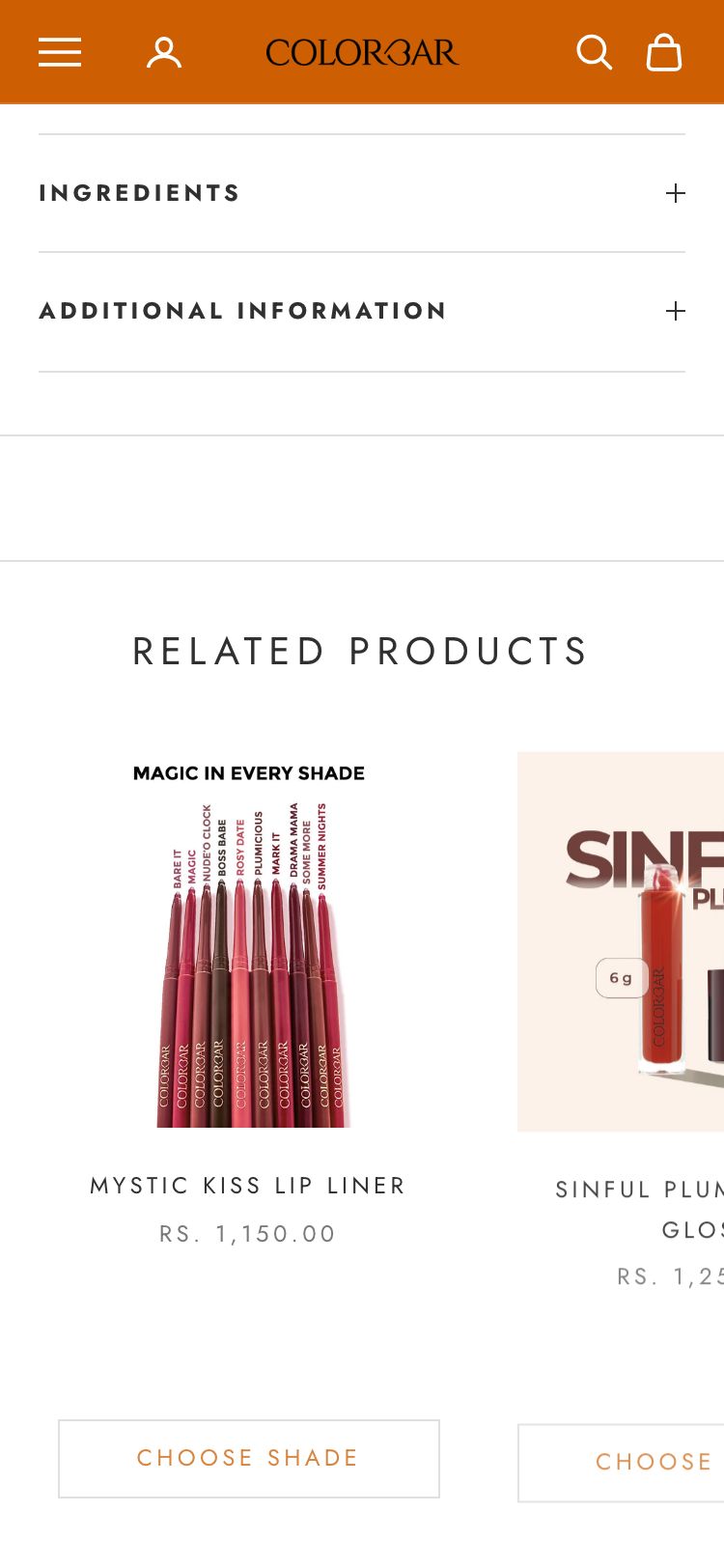
Colorbar Cosmetics — Mobile
Observations
- Zero `.jdgm-related`, `.related-products`, or `[class*="recommendation"]` elements found on the PDP
- The 'You May Also Like' section does exist on the cart page — but is absent from the PDP itself where browsing intent is highest
- A shopper on the Matte About You Lipstick PDP has no visual prompt to explore Quench Me Lip Gloss or the Lip Liner — completing their lip kit
- Lost PDP cross-sell opportunity is estimated at 8-15% incremental AOV in color cosmetics category
Recommendations
- Add a 'Complete Your Look' or 'You May Also Like' product row below the description/FAQ accordions on every PDP
- For lipstick PDPs, recommend: matching lip liner, lip gloss in similar tone, and a complementary eye product
- Use Shopify's native product recommendations API or Nitro Commerce's recommendation module if available
No coupon / discount code field on cart page — shoppers cannot apply promo codes
Feature not present
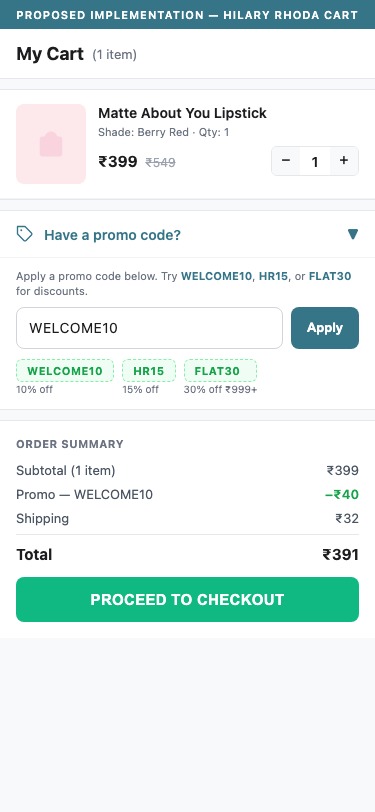
Proposed Implementation — Hilary Rhoda Cart
Observations
- The cart page shows product, quantity, price, and a 'BUY NOW' (Shiprocket) button — no coupon code input field is present
- The brand actively promotes 3 coupon codes on the PDP (Flat15, Flat20, Flat30) but provides no cart-level field to enter them
- Users who copied a coupon code from the PDP will not find where to apply it until they reach the Shiprocket checkout overlay — high drop-off risk
- Zero `.coupon`, `[name*='discount']`, or promo input elements found in the cart DOM
Recommendations
- Add a native Shopify discount code input field to the cart page — this is a built-in Shopify feature that requires only theme template activation
- Position the coupon field just above the 'Total Amount' line with a clear 'Apply Code' CTA button
- Show a dynamic validation message: green tick for valid codes, red alert for expired or mistyped codes — reduces checkout abandonment
No free shipping progress bar on cart — Rs.499 threshold is not communicated
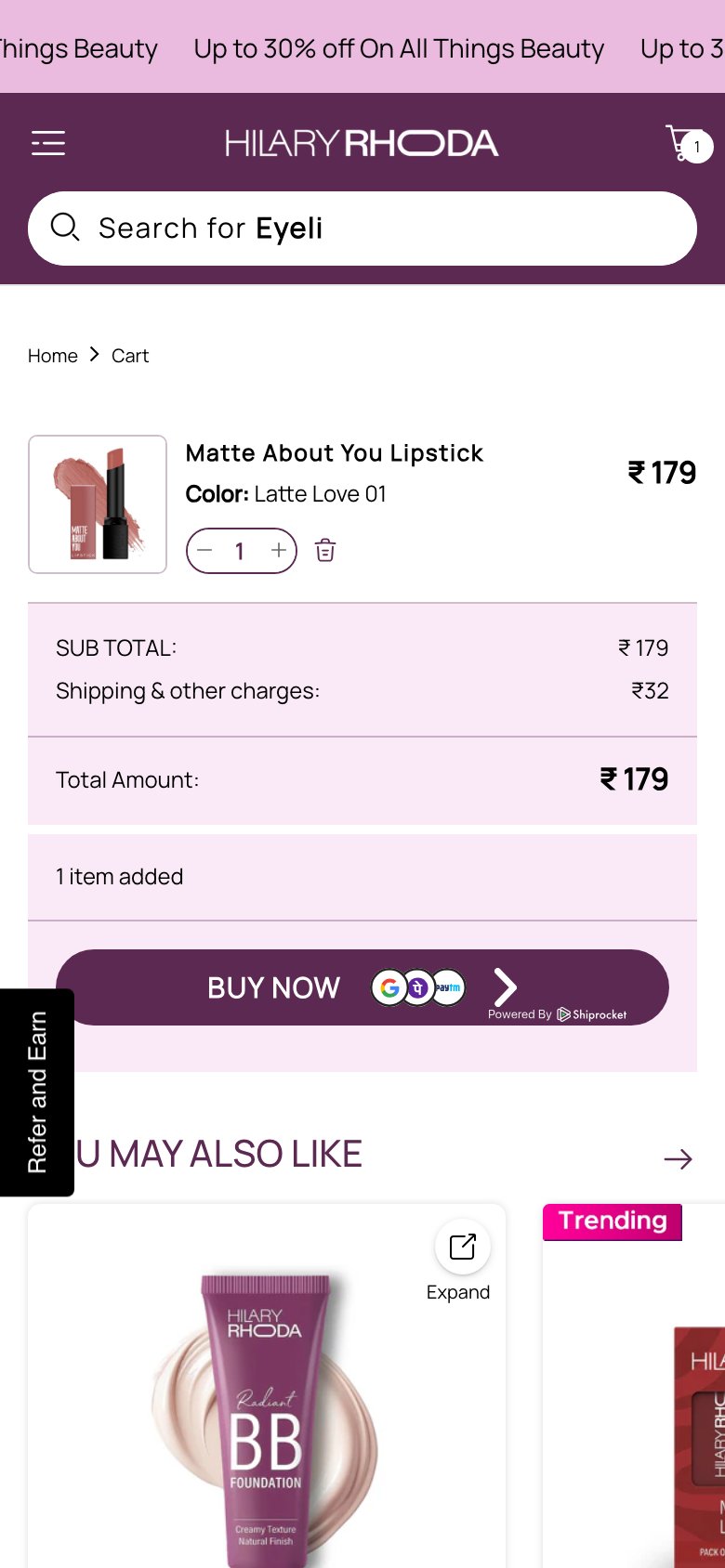
Hilary Rhoda — No shipping progress bar
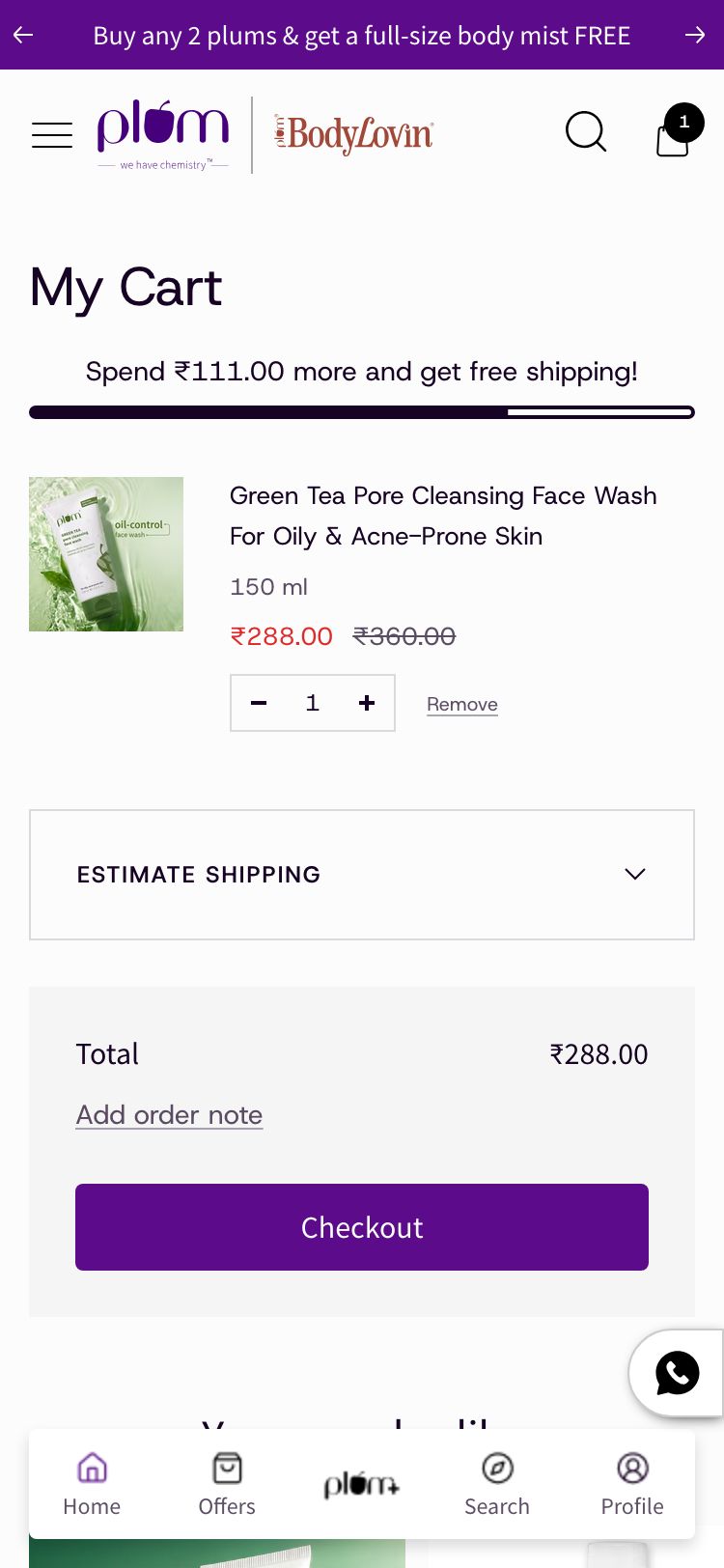
Plum Goodness — Mobile
Observations
- The cart page shows 'Shipping & other charges: Rs.32' as a static line — there is no progress bar or message indicating how close the shopper is to free shipping
- PDP available offers show 'Shop Rs.499+ Get Flat 15% OFF' — this tiered threshold structure is ideal for a cart progress bar
- No `[class*='shipping-bar']` or `[class*='free-shipping']` elements found in the cart DOM
- A Rs.179 cart is Rs.320 away from the first threshold — a progress bar would prompt the average shopper to add one more item
Recommendations
- Install a free shipping / goal bar app (e.g., Monster Cart Upsell, or configure Nitro Commerce goal bar) showing: 'Add Rs.320 more for Flat 15% OFF'
- Update the message at each threshold: Rs.499 (15% off), Rs.699 (20% off), Rs.999 (30% off) — these thresholds already exist as coupon codes on the site
- Place the progress bar at the very top of the cart order summary section, above the sub-total line, for maximum visibility
Cart page checkout is Shiprocket-only BUY NOW button — no familiar Shopify checkout path
Feature not present
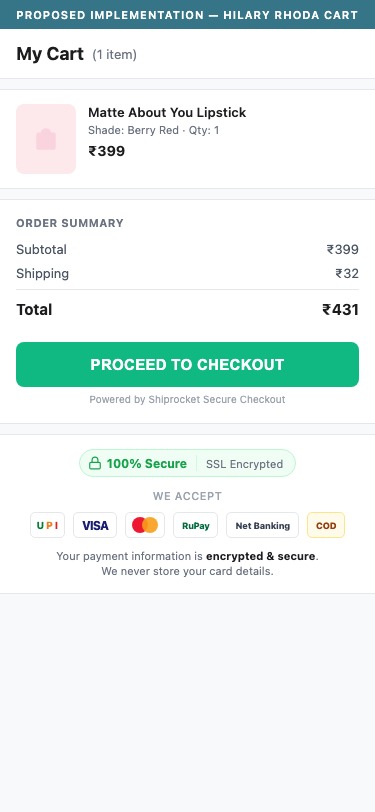
Proposed Implementation — Hilary Rhoda Cart
Observations
- The cart page offers only the Shiprocket 'BUY NOW' button (sr-headless-checkout) with no fallback native Shopify checkout link
- Shoppers unfamiliar with Shiprocket overlay may hesitate — the button is visually small and branded with external logos (GOQii-style icons visible)
- If the Shiprocket overlay fails to load (JS error or network issue), there is no checkout fallback — cart becomes a dead end
- No trust icons (SSL, payment methods accepted, Shopify secure badge) are present on the cart page
Recommendations
- Add a secondary 'Checkout' button using native Shopify checkout as a fallback alongside the Shiprocket button
- Add 3-4 payment method icons (UPI, Visa/Mastercard, COD) and a lock icon with 'Secure Checkout' text below the primary CTA
- Test both checkout flows end-to-end monthly to ensure Shiprocket overlay reliably fires — set up a Slack alert if checkout conversion drops below 15%
05
App Ecosystem
What's installed vs what's missing from best-in-class Beauty & Personal Care stores
Present (7)
Judge.me
Reviews & UGC
Klaviyo
Email Marketing
Lucky Orange
Analytics & Heatmaps
Nitro Commerce
Conversion Optimisation
Bitespeed
WhatsApp & Retention
Shiprocket
Checkout & Logistics
hCaptcha
Security
Missing (6)
BNPL / EMI Widget (Simpl, LazyPay, or Bajaj Finserv) Critical
Buy Now Pay Later
📈 Checkout conversion uplift 8-15% on orders above Rs.499
40% of Indian beauty D2C brands above Rs.5Cr GMR use BNPL on PDP
Subscription / Auto-Replenish App (Appstle or Recharge) Critical
Subscriptions & Loyalty
💰 Recurring revenue uplift 15-30% on daily-use SKUs
68% of health and wellness beauty brands use subscription apps
Free Shipping / Cart Progress Bar (Monster Cart or Growave) Critical
Cart Optimisation
💰 Average order value increase 12-18% via threshold nudges
60% of Shopify beauty brands use cart progress bar apps
Wishlist App (Wishlist Plus or Growave) Critical
Retention & Engagement
🔄 Return visit rate increase 20-25% for saved-item shoppers
55% of color cosmetics stores use wishlists for shade save-for-later
Loyalty & Rewards (Smile.io or Loyaltylion) Critical
Loyalty Program
🔄 Repeat purchase rate increase 25-35% with points program
72% of beauty D2C brands with 50K+ Instagram followers run a loyalty program
Virtual Try-On / AR Shade Matching (Perfect Corp YouCam) Opportunity
Augmented Reality
📈 PDP to ATC conversion improvement 30-40% for shade-uncertainty buyers
10% of color cosmetics brands globally use AR try-on — growing fast in India (2025)
App Stack Assessment
7 apps detected, 6 critical gaps identified
Confidential — Prepared for Hilary Rhoda by Growisto | April 2026